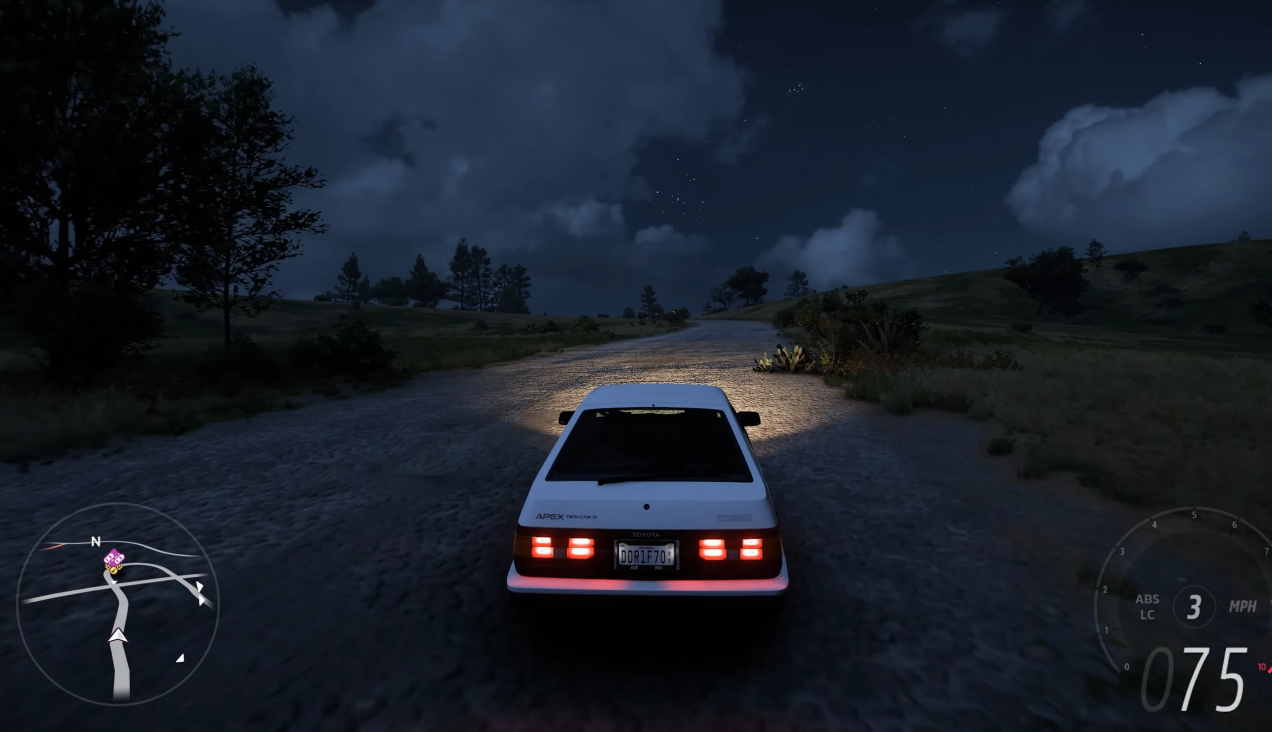
Night racing in Forza Horizon 6 offers a whole new dimension to the game, with dramatic lighting, darker tracks, and the challenge of limited visibility. If you're trying to figure out how to handle night races or are simply struggling to see clearly in the dark, adjusting your visibility settings can make a huge difference. In this guide, I’ll walk you through the key settings you need to tweak, explain how they affect your night racing experience, and provide some useful tips for making the most of them.
1. Why is Night Racing Hard to See?
Night races in Forza Horizon 6 are designed to test your skills in more challenging conditions. The tracks are often darker, and visibility is reduced, especially on the less illuminated sections of the road. Shadows, headlights from other cars, and artificial lighting can make it hard to spot upcoming curves, obstacles, or competitors.
In these situations, having the right settings can make all the difference. But before jumping into the settings, let’s first understand the main factors that affect visibility during a night race.
2. What Are the Key Settings for Night Racing Visibility?
There are several settings you can adjust to improve visibility when racing at night. These include Brightness, Headlight Settings, and Visual Effects. Each setting serves a specific purpose, and fine-tuning them will give you more control over how much you can see during night races.
2.1. Brightness Settings
The brightness setting adjusts the overall light levels in the game. Increasing it can make the dark areas of the track more visible. However, setting it too high can make the game feel unnatural, or you might lose the intended contrast between lights and shadows.
Best Practice: Start by increasing brightness slightly, but not too much. You want to ensure the roads are visible without washing out the night-time atmosphere. If you’re struggling to see on specific tracks, try tweaking the brightness until you can make out the road details clearly.
2.2. Headlight Settings
In Forza Horizon 6, headlights on your car play a big role in visibility. The default headlight range should be good enough for most races, but if you’re running into issues seeing the track, you may want to check if your headlight settings are optimal.
Most players don’t realize that headlight range can be adjusted in the settings. A larger range might help you spot curves and obstacles earlier, which is crucial in fast-paced night races.
Best Practice: Check your car's headlight settings in the Car Settings menu. Adjust them for maximum visibility if you're driving in particularly dark sections of the map. Some cars may offer better headlights than others, so consider using vehicles with strong lighting systems for night races.
2.3. Visual Effects (Weather, Fog, and Rain)
Sometimes night racing visibility can be further complicated by weather effects. Fog, rain, and stormy conditions create additional layers of difficulty. In these cases, adjusting visual effects settings can help.
Best Practice: If you’re racing in foggy or rainy conditions, reducing the intensity of visual effects can make it easier to see. You might want to dial back things like motion blur and rain intensity to keep the track clear and sharp.
3. Can I Adjust the Game’s Field of View (FOV) for Better Visibility?
Field of view (FOV) affects how much of the road and surrounding environment you can see on screen. While the FOV is generally set to a comfortable level by default, adjusting it can improve your situational awareness during night races. A wider FOV lets you spot upcoming obstacles and sharp turns earlier, while a narrower FOV may give you a more focused view of the road ahead.
Best Practice: For night races, a slightly wider FOV may be helpful. It increases your peripheral vision, which is particularly useful when you’re trying to dodge traffic or avoid spinning out on tight turns. However, don’t go too wide, as it may distort the track and make it harder to judge corners correctly.
4. What About HDR (High Dynamic Range) for Night Racing?
If you have an HDR-compatible display, enabling HDR in the settings can make a significant difference in how you perceive the game’s lighting. HDR increases the contrast between light and dark areas, allowing brighter lights and darker shadows to stand out more clearly.
Best Practice: If you're racing at night and have access to an HDR screen, definitely turn it on. The increased contrast can help you better spot things like brake lights or illuminated track markers. It’s also beneficial for getting a more immersive night racing experience, as the game’s lighting looks more realistic.
5. How Can I Improve My Reaction Time in Night Races?
Even with all the right settings, night races still require quick reactions. It’s a given that your vision will be limited in dark conditions, so you’ll need to rely on your reflexes and anticipation of what’s ahead.
Best Practice:
-
Familiarize yourself with the tracks. Many players find that they perform better in night races when they have a good sense of the layout, even if they can’t see every detail clearly.
-
Use the racing line feature. The racing line will highlight the best path to take, and it can help you anticipate sharp turns, jumps, and other hazards.
-
Focus on hearing. The sound of other cars and the track will give you important clues about what’s coming up, so make sure your audio settings are clear and balanced.
6. What Are Some Extra Tips for Night Racing?
Beyond settings, here are a few other practical tips that can help you improve your night racing experience:
-
Adjust Your Car’s Livery and Lights: Some players use brightly colored cars or customize their headlights to stand out more clearly in the dark. While this won’t affect your visibility directly, it can help you keep track of your car’s position in the race.
-
Know When to Adjust Your Strategy: At night, it’s often harder to see the road clearly, so you may want to adjust your driving style. Don’t be in too much of a rush—take corners slower, especially in races with limited lighting.
-
Use the "Free Roam" Feature to Practice: Take some time to drive around in free roam at night to get used to different conditions and lighting scenarios. You can also experiment with settings until you find the perfect balance for you.
7. Are There Any Cheats or Workarounds to Make Night Racing Easier?
Some players have turned to cheap FH6 Modded Accounts to get access to special modifications or adjustments to improve their performance. However, while this may give you an edge, it’s important to remember that using mods or cheats can affect the overall enjoyment of the game and may lead to penalties. It's always better to focus on improving your skills within the game's natural settings.
Night racing in Forza Horizon 6 can be challenging, but with the right settings, you can improve your visibility and reaction times. Experiment with the brightness, headlight range, and visual effects to see what works best for you. Don't forget to adjust your car's settings and learn the tracks so you can handle them in low-light conditions. With some practice and the right settings, you’ll be speeding through the night like a pro.

 English
 Arabic
 French
 Spanish
 Portuguese
 Deutsch
 Turkish
 Italiano
 Russian
 Romaian
 Portuguese (Brazil)
 Greek
Greek
 Indonesia