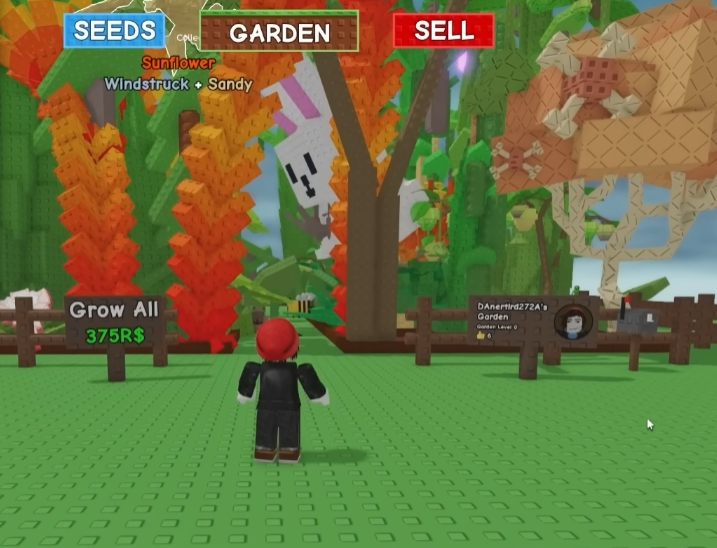
Grow A Garden is one of those games that looks simple at first but quickly turns into a puzzle once space and resources become limited. If you are playing on Roblox and trying to keep up with upgrades without draining all your currency, a smart layout matters more than most people think. I have rebuilt my garden more times than I want to admit, and each reset taught me something about saving money while still getting solid results.
This article focuses on building layouts that are affordable, easy to manage, and still efficient enough to keep your progress steady. You do not need perfect items or rare boosts to make things work. You just need to understand how the systems fit together.
Understanding What Efficiency Really Means
Before placing anything, it helps to rethink what efficiency means in Grow A Garden. Many players assume it is about having the biggest plots or the fastest growth timers. In reality, efficiency is about how much value you get from each tile and each minute you spend in the game.
An efficient garden lets you harvest often without running back and forth too much. It also avoids wasting space on decorations or structures that do not help early on. When I stopped copying high level layouts and started adjusting things to my own pace, progress felt smoother and less stressful.
Start Small and Plan Ahead
One common mistake is trying to fill every empty tile right away. Early game resources are limited, and spreading them too thin usually slows you down. A smaller, well planned layout is easier to upgrade later.
Place your core planting area first and leave clear paths around it. This makes harvesting quicker and helps when you unlock new features. I like to leave at least one row open so I can expand without tearing everything apart. It might look empty at first, but future you will be thankful.
Choosing Crops That Fit a Budget
Not all crops are worth planting early. Some look attractive because of higher sell prices, but their setup cost or long growth time can hurt beginners. Cheap crops with fast cycles are usually better for learning layout flow and earning steady income.
Once you understand timing and spacing, you can slowly mix in higher value plants. The key is balance. If half your garden is stuck growing for a long time, your layout feels slow even if the final payout is bigger.
Using Pets Without Overspending
Pets can make a noticeable difference, especially ones that boost growth speed or harvest value. The problem is that new players often chase pets too early or spend too much trying to get the perfect one.
If you decide to buy grow a garden pets, focus on basic utility rather than rarity. Even a simple boost can improve efficiency if your layout already makes sense. Pets should support your garden, not define it. A clean layout with average pets usually beats a messy layout with expensive ones.
Layout Flow Matters More Than Size
As your garden grows, walking distance becomes a real issue. Efficient layouts minimize movement between planting, harvesting, and selling. Group similar crops together so you can harvest in one smooth loop.
Try to avoid dead ends. If you constantly turn around or bump into objects, that is wasted time. When I adjusted my layout to follow a simple circular path, my harvest time dropped a lot without adding anything new.
Learning From Other Players Without Copying Blindly
Looking at other players’ gardens can be helpful, but copying a layout tile by tile rarely works unless you have the same upgrades. Instead, look for ideas like spacing patterns or path placement.
Forums and community posts often show creative solutions that are cheap and effective. Some players even share layouts designed specifically for low level accounts. I have borrowed ideas from these setups and then simplified them to fit my own resources.
Smart Spending and Safe Resource Choices
Eventually, you might look for outside help to speed things up, especially if you are short on time. If you ever consider using a trusted Grow a Garden shop U4GM, treat it as a supplement, not a shortcut that replaces learning the game. Knowing how to build and manage your layout still matters, no matter where your items come from.
Also remember that U4GM is mentioned often by players when discussing resources, but the real value comes from how you use what you have. Even extra currency can disappear fast if your layout is inefficient.
Upgrading in Stages Instead of All at Once
One of the best habits I learned was upgrading in stages. Instead of rebuilding the entire garden after every unlock, focus on one improvement at a time. Maybe first improve crop spacing, then add a new crop type, then adjust paths.
This approach saves money and avoids confusion. It also helps you understand which changes actually improve efficiency and which ones just look good.
Keeping It Simple as You Progress
As tempting as it is to build a complex, advanced looking garden, simple layouts are easier to manage and usually perform better for most players. Straight rows, clear paths, and logical grouping go a long way.
Grow A Garden rewards consistency. If your layout lets you play comfortably without rushing or wasting effort, you are already ahead of many players.
Walkthrough Available: How to Get and Use Jack-O-Jelly in Grow A Garden

 English
 Arabic
 French
 Spanish
 Portuguese
 Turkish
 Dutch
Dutch
 Italiano
 Russian
 Romaian
 Portuguese (Brazil)
 Greek
Greek
 Indonesia