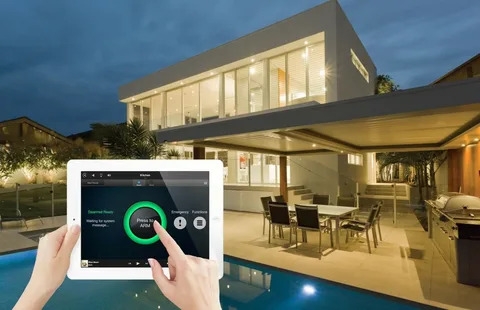
A successful Home Automation Systems project is never about gadgets; it is about turning technology into dependable infrastructure that solves real daily problems. When thoughtfully deployed, automation systems reduce friction, improve comfort and safety, and lower operational costs. When poorly done, they sit unused or become a source of recurring support calls. This article is written as a practical playbook for homeowners, designers and integrators who want automation that lasts: we’ll cover how to define outcomes, design resilient network and power infrastructure, choose devices and standards for longevity, plan wiring and racks, commission installations like a pro, secure privacy and data, operate sensible maintenance and update cycles, and measure the value of automation over time. The tone is pragmatic: no marketing fluff, only concrete decisions and realistic tradeoffs.
Define Outcomes Before You Buy Devices
Start with outcomes. Identify the handful of repeatable scenarios that should become automatic: morning routines, secure-away sequences, presence-based HVAC zoning, lighting scenes for common tasks, and prioritized security responses. Outcomes are measurable and drive every subsequent choice. Defining outcomes first prevents the common mistake of acquiring individual devices without an orchestration plan. When scenes are written down and prioritized by frequency and impact, device selection focuses on capabilities that support those scenes rather than shiny features that contribute little to daily life. This approach also clarifies which functions must remain local during internet outages and which can safely depend on cloud services.
Treat Network And Power As Core Infrastructure
A resilient automation system treats network and power like plumbing—plan it carefully and accept the installation cost. Use enterprise-grade Wi-Fi access points sized and placed from an actual heatmap, run wired Ethernet to hubs, media servers and high-traffic devices, and provide managed switches with VLAN segmentation to isolate IoT devices from family computers. For power, plan dedicated circuits for AV racks, motorized shades and other loads that could trip shared breakers. Provide UPS protection for core controllers and the primary router. Centralize equipment in a ventilated closet or rack with organized patching and clear labeling. The simple discipline of structured cabling and rack hygiene reduces future headaches dramatically.
Choose Devices For Local Control And Standards Compatibility
When selecting devices, prioritize local-control capability for essential functions such as door locks, smoke responses and HVAC safety. Devices that lose all functionality when a cloud vendor goes down will erode trust in automation. Favor hardware that supports open standards or industry-supported bridges—Thread, Zigbee, Z-Wave, Matter—and avoid single-vendor lock-ins for core systems unless the vendor provides explicit local fallback. For cameras and voice assistants, evaluate local storage and privacy options. Longevity is often more valuable than the latest novelty feature; pick manufacturers with proven firmware support and transparent update policies.
Design Zones, Not A Single Monolithic Home
Divide the house into practical zones—Master Suite, Main Living, Kid Wing, Garage, and Backyard—and design automations per zone. Zoning simplifies presence detection, reduces wasted conditioning of unoccupied spaces, and narrows trouble-shooting when a sensor is noisy. For HVAC, pair zones with thermostats and presence sensors so the system conditions only occupied rooms. For lighting and shades, group devices by facade orientation so solar-driven automations behave coherently. Zones make automation intelligible for occupants and manageable for support teams.
Sensor Strategy: Use Multiple Signals To Avoid False Triggers
Sensors drive automation, so invest thought into what inputs you trust. Replace brittle single-signal rules with multi-modal sensing: combine door contacts, motion, presence (phone-based) and ambient light to infer occupancy and intent. For example, use a door open + motion + phone presence to decide whether to set HVAC to comfort. Deploy humidity sensors for bathrooms to drive fans and avoid unnecessary runtime. Use temperature sensors placed away from direct sunlight to avoid false-high readings. Multi-sensor fusion reduces false triggers and builds confidence in automation because the house behaves correctly more often than not.
Wiring, Conduits, And Rack Best Practices
During installation, insist on conduit to key locations and spare runs for future expansion. Use in-wall rated cables and label both ends of each run. Centralize wired connections in a ventilated rack with labeled patch panels and structured documentation. Give the integrator authority to propose minor drywall access if it avoids long future retrofits; the small extra up-front cost saves a great deal later. Where possible, run POE to ceiling microphones and cameras to simplify power and networking and use dedicated circuits for the AV rack to prevent brownouts.
Automation Controller Architecture: Local, Hybrid Or Cloud
Choose an architecture that reflects your outcomes and risk tolerance. Fully local controllers provide resilience and privacy for essential scenes but may require more local expertise to manage. Cloud-first architectures enable broad device compatibility and convenience features like remote voice updates but risk outages. Hybrid models keep mission-critical logic local while using cloud services for convenience features such as voice or remote monitoring. Be explicit about which scenes must remain local and validate that choice in commissioning tests.
Commissioning: Accept Only After Real-World Testing
Commissioning is where good designs become good systems. A proper commissioning script exercises every scene during realistic conditions—morning, evening, presence/away, and outage simulation—and verifies failover behavior. Commissioning should include objective network stress tests, latency checks, battery drain observations for wireless devices, and real usage trials so owners can live with scenes for a few days before final acceptance. Deliver a signed commissioning report with final settings and a short punch list to capture adjustments discovered during the observation period.
Security And Privacy: Default To Least-Privileged
Security is not optional. Segment IoT on a separate VLAN, enforce strong, unique credentials on all devices, and enable two-factor authentication where supported. Disable unused services and change default admin accounts. For cameras and microphones, prefer local recording or short retention windows and explicit controls to disable recording when desired. Document who has access to accounts and provide simple revocation workflows. Maintain a practice of scheduled credential rotation for temporary service accounts and audit logs to track changes. Clear privacy defaults preserve trust among household members and guests.
Update And Maintenance Policy
Automation requires a maintenance cadence. Define how firmware updates are staged and who tests them before broad rollout. Schedule seasonal re-commissioning to adjust lighting and shading scenes for solar angle changes and to re-validate sensor placements as furniture or occupancy patterns change. Replace batteries proactively based on usage logs, not after failure. Keep a small stock of common spare parts at the ready—replacement gateways, remotes, batteries—and a documented rollback plan for updates that break scenes.
User Training And Documentation
A well-documented system reduces support calls. Provide a concise quick-start sheet for daily users and a more technical handover for the estate manager. Include a recovery guide with steps to reboot the hub, where to find physical overrides, and how to add or revoke temporary codes. Train occupants in a short session and record it for later reference. Good documentation and a short training session go a long way toward adoption and reduce the tendency to disable automation out of frustration.
Measuring Success: KPIs And Continuous Improvement
Define a small set of KPIs: percentage of automations used weekly, number of support tickets per month, energy usage reduction for automated HVAC or shading, and average response time for critical field issues. Use these metrics for quarterly tuning sessions. Continuous improvement — small logic adjustments, sensor repositioning, or threshold tweaks — keeps the system aligned to real behavior and maximizes perceived value.
Procurement And Vendor Contracts
When contracting, require deliverables: a written discovery report, a network plan, a wiring and power plan, commissioning reports, and as-built documentation. Tie payments to milestones and acceptance criteria rather than simple completion. For larger projects consider an ongoing maintenance agreement that bundles monitoring, firmware management and annual re-commissioning. Clear contractual expectations avoid finger-pointing after the install.
Integrations With Third-Party Systems
Plan integrations deliberately rather than promiscuously. Useful integrations include presence-based HVAC, shade coordination, camera-triggered lighting and single-button scenes for common flows such as “Goodnight” or “Away.” Avoid over-integration that causes noisy notifications or complex failure modes. Each integration should have defined fallbacks and a written test case in the commissioning script.
Accessibility And Inclusive Design
Design automation to be inclusive. Include tactile controls for essential scenes, voice alternatives for users who prefer them and straightforward physical overrides. For assisted living scenarios, prioritize low-friction interactions and caregiver modes with limited, auditable access. Inclusive design expands usefulness and ensures the system remains helpful as household needs evolve.
Cost Considerations And Value
Balance upfront investment against long-term operating savings and quality-of-life improvements. Some automations, such as shading integration with HVAC, produce measurable energy savings; others provide intangible benefits like reduced friction and improved comfort. Evaluate payback quietly; in many cases the value of a well-executed automation lies in the daily minutes saved and the reduced mental load for residents.
Common Pitfalls And How To Avoid Them
Avoid systems designed primarily around remote convenience without strong local fallback; avoid fragmented device ecosystems lacking a clear integration path; and avoid neglecting the network and power planning phases. Require commissioning and documentation and plan for maintenance. Small decisions such as labeled patching, conduit for future runs and a modest spares kit prevent a cascade of small, expensive failures later on.
Final Thoughts
Home automation systems that last are engineered, commissioned and maintained with the same rigor applied to HVAC or electrical systems. Focus on outcomes, treat network and power as infrastructure, prioritize local control for critical scenes, enforce security and privacy defaults, and commit to a maintenance and update cadence. When these disciplines are applied, automation stops being a hobby and becomes dependable infrastructure that genuinely improves everyday life.

 English
 Arabic
 French
 Spanish
 Portuguese
 Deutsch
 Turkish
 Dutch
Dutch
 Italiano
 Russian
 Romaian
 Portuguese (Brazil)
 Greek
Greek